
Follow this guide to write articles that get published quickly, rank on Google, and earn you more views.
📋 Article Requirements Checklist
Every article you submit must have all of these. Articles missing any item will be sent back for improvement.
📝 How to Create Headings — Step by Step
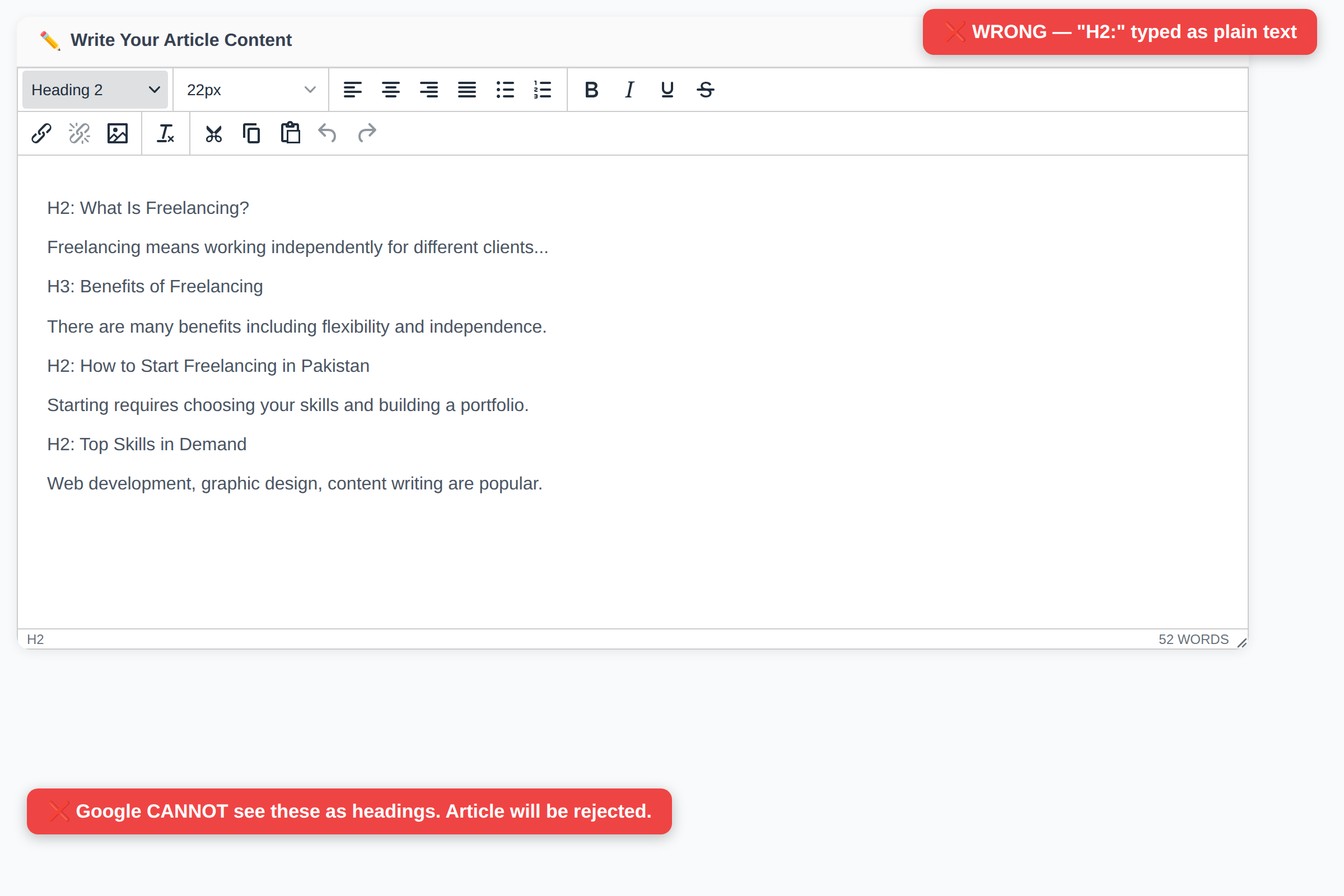
This is the #1 mistake writers make. Headings must be created using the editor dropdown, NOT by typing "H2:" as text.
1 Type your heading text in the editor (e.g., "What Is Freelancing?")
2 Select/highlight the heading text with your mouse
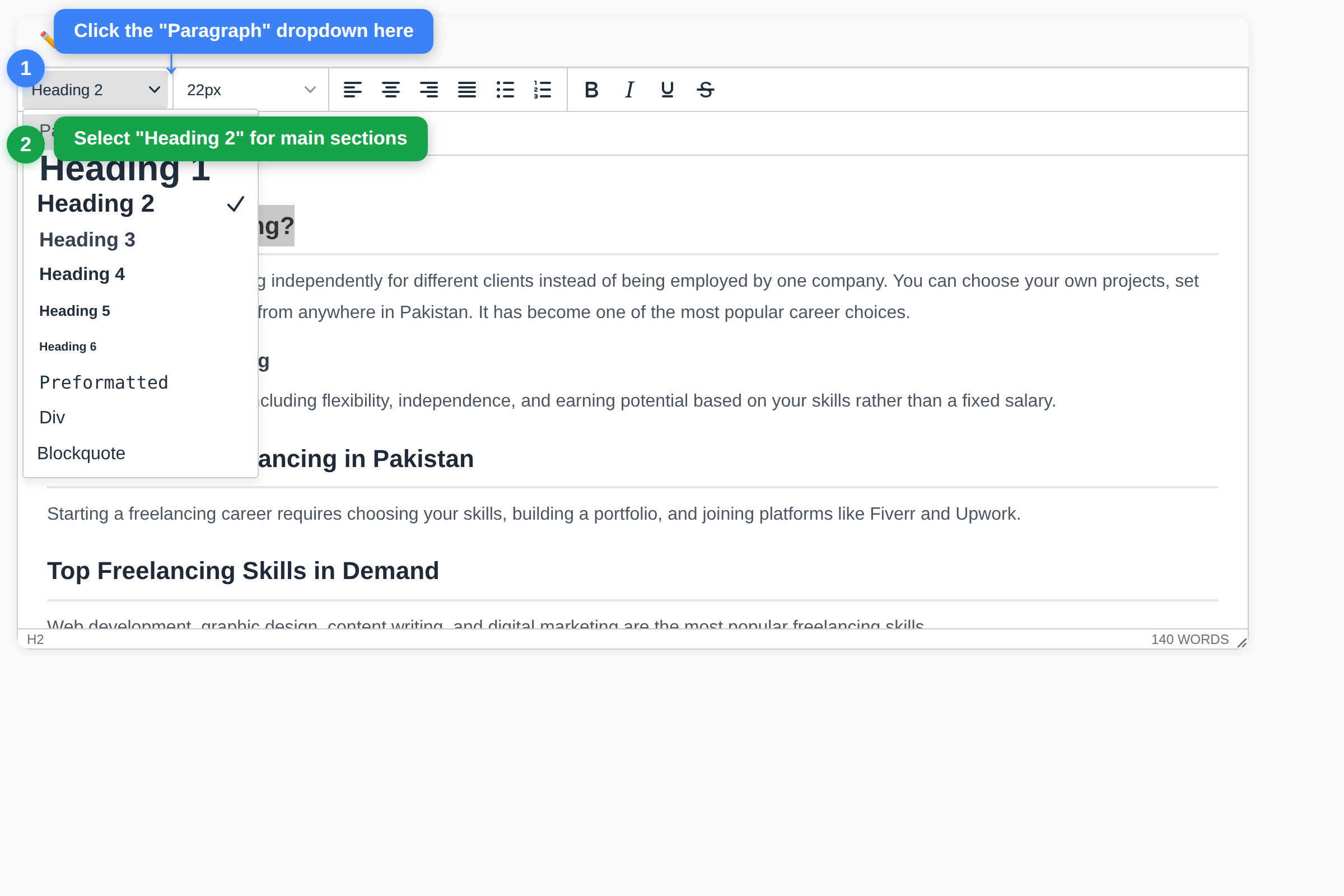
3 Click the "Paragraph" dropdown in the top-left of the toolbar
4 Choose "Heading 2" for main sections or "Heading 3" for sub-sections
Here's exactly where to click:
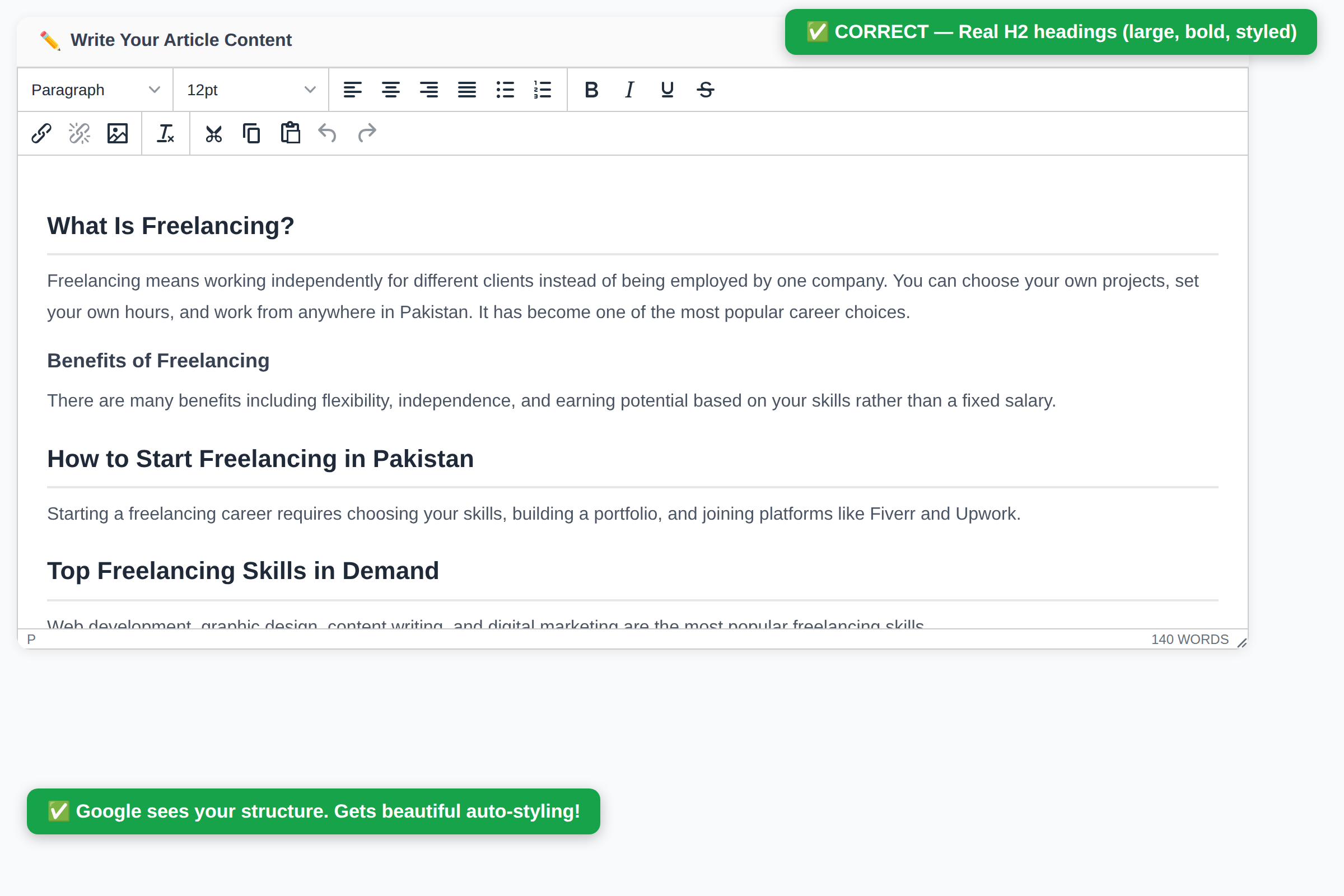
❌ Wrong vs ✅ Right — See the Difference
⚠️ Also Wrong: Just making text bold is NOT a heading. Bold text and Heading 2 are completely different things. You must use the "Paragraph" dropdown to create headings.
📄 Perfect Article Structure
Here's what a properly structured article looks like in the editor:
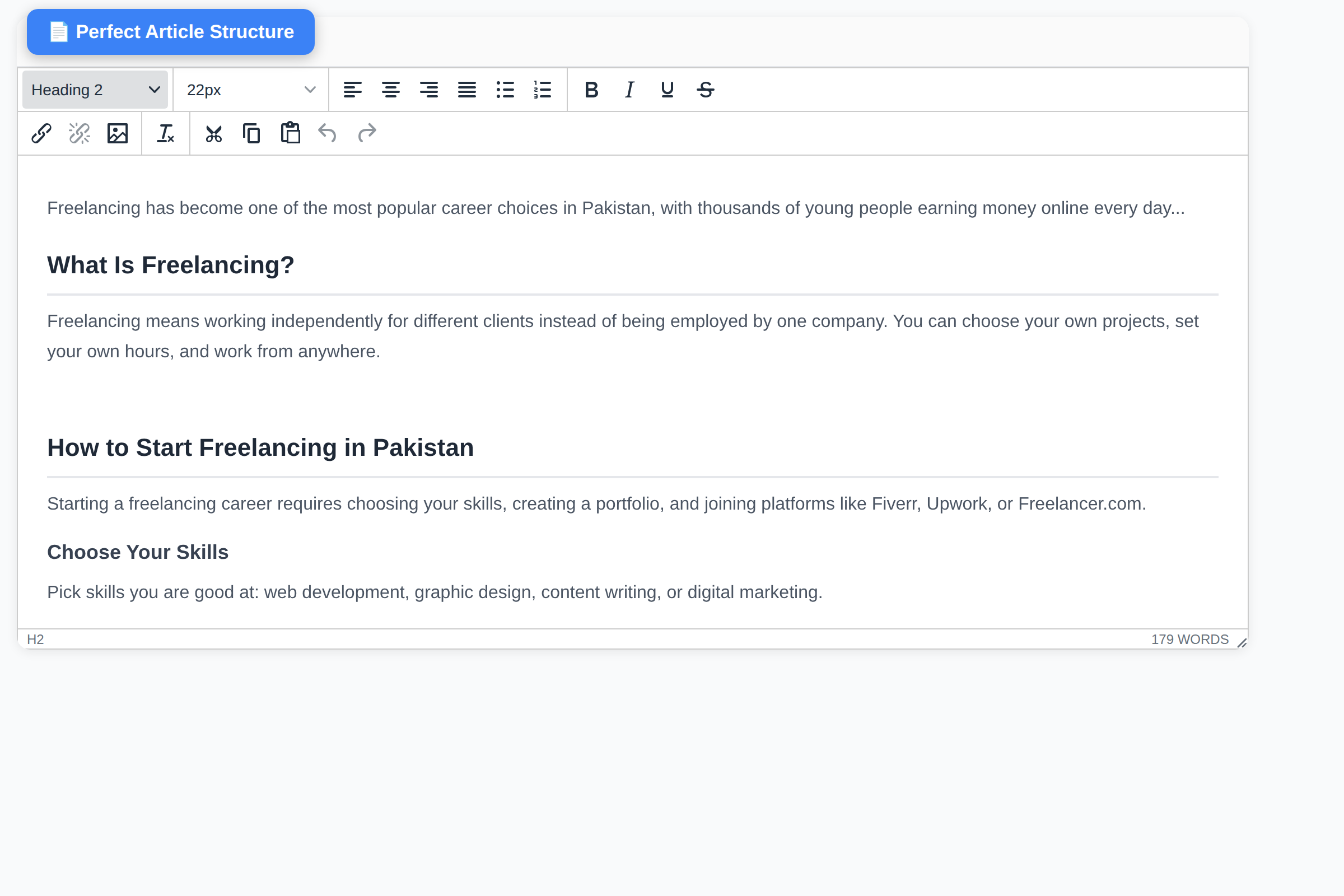
And here's the structure template you should follow:
❓ FAQ Section — How to Write It
Every article must have a FAQ section. Here's how:
1 Create an H2 heading: "Frequently Asked Questions" (using the dropdown!)
2 Write 3-5 questions as H3 headings (e.g., "How much can I earn?")
3 Write a short answer (2-4 sentences) under each question as normal paragraph text
Example FAQ:
Frequently Asked Questions
How much can I earn from Article.pk?
Your earnings depend on the views your articles receive. More views = more money. Top writers earn PKR 5,000-50,000 per month.
How long does approval take?
Most articles are reviewed within 24 hours. Follow all guidelines to avoid delays.
🖼️ Adding Images
1 Place your cursor where you want the image
2 Click the image icon 🖼️ in the second toolbar row
3 Click "Upload" tab and select your image file
4 Add a description in the "Alternative description" field
⚠️ Image Rules:
- Upload images to Article.pk — do NOT copy-paste images from Google or other websites
- Do NOT hotlink — images from other URLs (CNN, Google, ChatGPT) will be rejected
- Use high-quality images (minimum 800px wide)
- Add at least 1 image per 500 words of content
📊 Live Checklist in Editor
When you write your article, a live checklist appears on the right side. It updates as you type and shows ✅ or ❌ for each requirement:
All items must show ✅ before you can submit your article.
🚫 Common Mistakes to Avoid
- Typing "H2:" as text — Use the Paragraph dropdown instead
- Making text bold instead of heading — Bold ≠ Heading 2
- Missing FAQ section — Every article needs 3-5 FAQ questions
- Missing Conclusion — Always end with "Conclusion" or "Key Takeaways"
- Submitting same article twice — Check your dashboard first
- Copy-pasting images from Google — Upload your own images
- Less than 800 words — Short articles will not be accepted
- No images inside article — Add 1 image per 500 words minimum
💰 Tips to Earn More Views
- Write about trending topics in Pakistan
- Use clear, catchy titles (50-60 characters)
- Write 1,500+ words for higher Google rankings
- Include 3-5 images per article
- Share your articles on WhatsApp, Facebook, Twitter
- Write regularly — at least 2-3 articles per week
- Use proper headings — structured articles rank higher on Google
Need help? Contact us on WhatsApp or check your dashboard for tips!
Start Writing Now →